

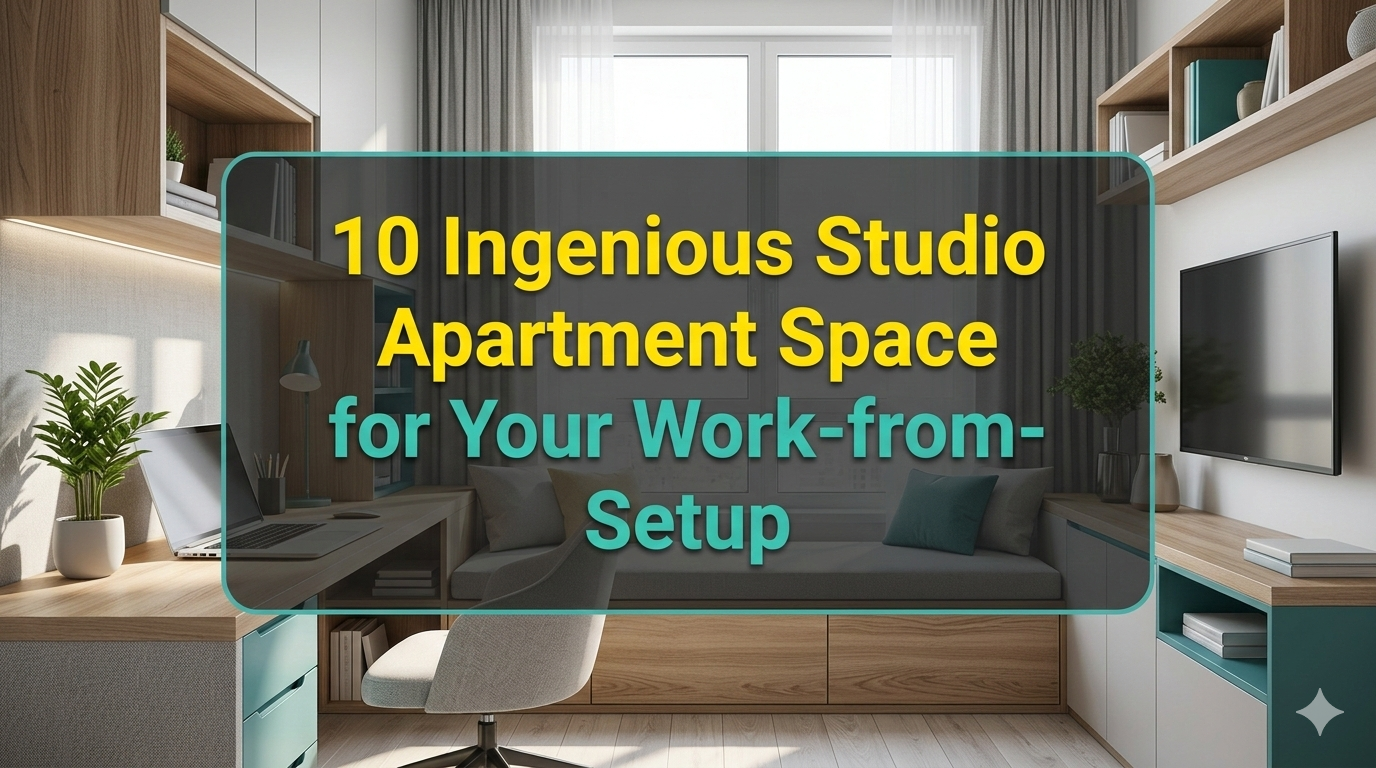
Working from home in a studio apartment is tough. You eat, sleep, unwind and work — all in a single room. It can be small, messy and frankly tiring.
But the thing is, thousands of people manage it every day.
And the secret isn’t a larger space. It’s a smarter use of the space you already occupy.
This guide is going to break down 10 powerful studio apartment space hacks designed specifically around individuals working from home. Whether you’re a freelancer, a remote employee or a student balancing online classes, these tips will help you establish a workspace that really works — and won’t turn your home into an office from which you can’t escape.
Let’s get into it.
Hack #1 — Break Up Your Space Without Walls
The problem most of all with a studio apartment is that everything merges into everything else. Your desk is next to your bed. Your “office” is the same as your living room.
The fix? Create visual zones.
You don’t need construction. You just need smart dividers.
Ideas That Work Instantly
Bookshelves as walls — A tall, open bookshelf placed standalone between your sleeping area and desk acts as both a physical and psychological barrier. It can be used as storage on both sides, too.
Curtains on ceiling tracks — A curtain rod mounted to the ceiling allows you to pull a curtain open during business hours and closed during off-hours. It’s inexpensive, adaptable and surprisingly powerful.
Area rugs — Put one under your desk and another under your bed or sofa. Two rugs = two zones. Your brain notices these cues before you know it.
Plants as natural dividers — A row of tall plants, such as fiddle-leaf figs or snake plants, can separate your work zone from your rest zone. They also enhance air quality and lower stress levels.
Why It Matters for WFH Focus
When your workspace spills into your sleep space, your brain never completely “leaves work.” Making zones — even fake ones — helps your brain toggle between “work mode” and “rest mode.” That’s vital for longer-term productivity and mental health.
Hack #2 — Go Vertical: The Wall Is Your Best Friend
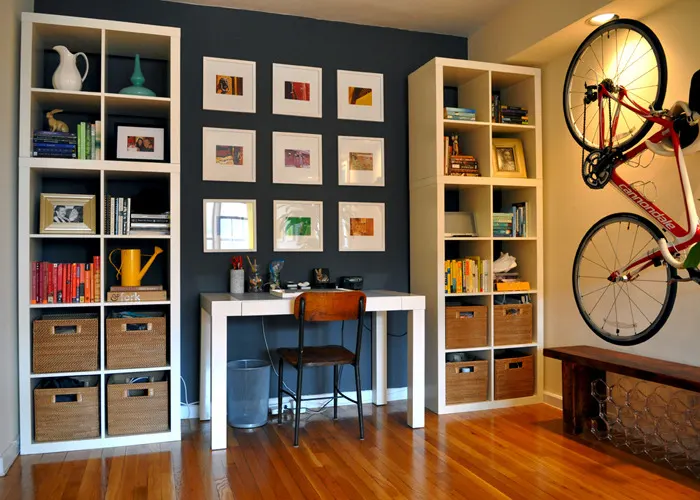
When you are living in a small apartment, there will not be much floor space. But your walls? They go all the way up.
Most people probably only use the bottom three feet of their walls. That’s a huge potential storage waste.
Wall-Mounted Storage That Doesn’t Look Bad
| Storage Type | Best For | Estimated Cost |
|---|---|---|
| Floating shelves | Books, decor, files | $20–$80 |
| Pegboards | Cables, tools, supplies | $15–$50 |
| Wall-mounted desk | Zero floor footprint | $60–$200 |
| Magnetic strips | Keys, scissors, notes | $10–$30 |
| Over-door organizers | Snacks, chargers, notebooks | $10–$40 |
Put up wall-mounted shelving above your desk to store notebooks, reference books and small equipment. A pegboard over your work area keeps cables, headphones and supplies within reach but off the desk.
The Number One Rule of Vertical Storage
Go up, not out. The more you put on your walls instead of the floor, the more precious floor space you get back. And more floor space makes the room feel bigger — even if it’s not.
Hack #3 — Choose the Right Desk (Your Work Life Depends on It)
Your desk is the heart of your WFH setup. In a studio apartment, it also has to serve double duty or disappear when not in use.
Types of Desks Best for Studio Apartments
Wall-mounted fold-down desks — These lay flat against the wall when not in use. When opened, they provide you with an entire work surface. Perfect for tight spaces.
Corner desks — Corners can be prime real estate that often gets wasted. A corner desk takes advantage of that dead zone and offers you more surface area than a standard desk.
Convertible desks — When folded, some desks turn into mirrors, shelves or wall art. They cost a bit more but are really smart.
Standing desk converters — If you already have a table, a standing desk riser goes on top. It allows you to alternate sitting and standing without purchasing an entirely new desk.
Desk Size Sweet Spot for Studios
The sweet spot is around a 40–55 inch wide desk for those working from home. Big enough for a monitor, keyboard and notebook. Not so broad as to consume the room.
If your only computer is a laptop, you can go smaller — even a 30-inch floating shelf would make for a clean, minimal desk.
Hack #4 — Get Your Cables Under Control (Do This First)
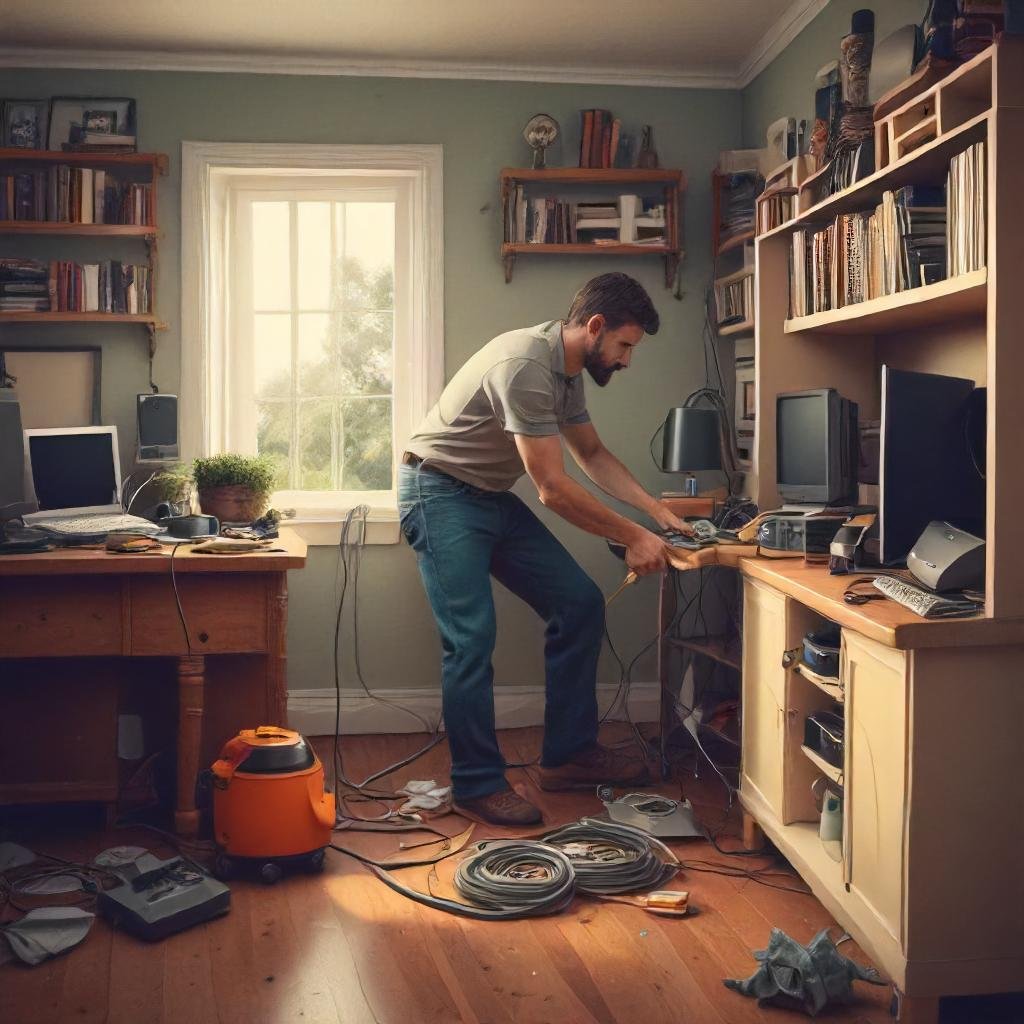
Few things make a small space feel more chaotic than having cables all over the place.
A tangle of messy cables is ten times more obvious when your studio apartment is both home and office. And they stress you out more than you think.
Simple Cable Management Solutions
Cable clips — Stick them along the back edge of your desk. Thread cables through them to keep it all in one neat row.
Cable sleeves — Bundle several cables into one sleeve. One cable definitely looks better than twelve.
Cable boxes — Conceal your power strip inside a cable management box. It appears as a small box rather than a jumble of wires.
Velcro ties — Use these to tie together any cables that run next to each other. Much better than zip ties, since you can adjust them.
Wireless everything — Go wireless where budget allows. Wireless keyboard, wireless mouse, wireless charging. Fewer cables = cleaner space.
The 10-Minute Cable Reset
Label every cable with small sticker tags — it takes just 10 minutes. So if you need to unplug something, you’ll know exactly which wire to pull. Saves time and maintains long-term organization.
Hack #5 — Lighting Is a Setup Game Changer
One of the most underrated issues in a WFH studio setup is bad lighting.
Too dark and you strain your eyes. Too strong and you get headaches. Get the lighting wrong and you look awful on video calls.
Good lighting, however, expands the sense of space around you, makes your work easier to focus on and makes your video calls look professional.
The Three-Layer Lighting System
Layer 1 — Ambient light: This is your room lighting base. Natural light through windows works best. If that’s limited, use a warm overhead light to fill the space.
Layer 2 — Task light: A dedicated desk lamp aimed at your work surface minimizes eye strain. Look for lamps that also change color temperature — warm for evenings, cool for daytime focus.
Layer 3 — Accent light: LED strips behind your monitor or under shelves create more depth and reduce the contrast between your bright screen and dark background. This is very useful during long work sessions.
Video Call Lighting Tip
Put one soft light source directly in front of you — not behind you, not to the side. Even a small ring light or a lamp placed just above your screen level works wonders on video calls. People will notice — in a good way.
Hack #6 — Use Furniture That Multitasks
In a studio apartment, furniture that serves only one purpose is a luxury you can’t afford.
Every piece of furniture must justify its floor space by performing at least two functions.
Multi-Use Furniture Worth Every Penny
| Furniture Piece | Primary Use | Secondary Use |
|---|---|---|
| Ottoman with storage | Seating | Stores blankets, files |
| Murphy bed with desk | Sleeping | Built-in fold-out desk |
| Sofa bed | Seating | Guest sleeping |
| Dining table | Eating | Secondary workspace |
| Storage bench | Seating | Office supplies |
| Nesting tables | Side table | Extra desktop surface when needed |
The Murphy Bed + Desk Combo
If you have even a little budget to work with when designing your studio setup, then hands down the most powerful space-saving investment you can make is the Murphy bed that turns into a fold-out desk.
When it’s time to work, the bed retracts into the wall and the desk extends out. At bedtime, the desk folds up and down comes the bed. Your “bedroom” and “office” literally switch places. It’s the final word in studio apartment space hacking.
For even more layout ideas and gear recommendations, check out Studio Apartment Setup — a dedicated resource for making the most of compact living and working spaces.
Hack #7 — Get a Decent Video Call Background in Place
Your studio apartment is your public professional persona. Your background matters when you’re on Zoom or Teams calls.
You don’t need a fancy home office background. All you need is a clean, purposeful one.
Background Setup Ideas
The Bookshelf Wall — Angle your desk so that a styled bookshelf is behind you. Books signal intelligence. A few plants add color and life.
The Minimal Wall — A white or neutral wall with one piece of art or a simple plant. Nothing distracting. Very professional.
The Dedicated Backdrop — Purchase an inexpensive fabric backdrop stand ($30–$60). Put it behind your chair when you are on calls. Roll it away when done. Simple and effective.
Virtual Backgrounds — Use this as a last resort. Your platform may have a virtual background feature. Ensure good lighting or the AI cutout will look choppy.
What to Avoid
Keep these out of your video call shot:
- Your unmade bed
- Laundry or clutter
- Patterns that are busy or bright windows directly behind you
- Other people walking through
Hack #8 — Control Sound in a Small Space
When your apartment is your office, noise is a serious problem.
Street noise, neighbors, sounds in the building — all compete with your work focus and make video calls sound unprofessional.
Easy Soundproofing on a Budget
Rugs and soft furnishings — Sound bounces off hard floors. A plush rug, thick curtains and upholstered furniture muffle it. This makes a larger difference than most people realize.
Door draft stoppers — These fill the gap under your door and help block noise from hallways.
Noise-canceling headphones — This is the best investment you can make for WFH audio. A good pair of noise-canceling headphones eliminates background noise for both you and your call participants. According to Wirecutter’s noise-canceling headphone guide, even mid-range options can make a dramatic difference in a noisy home environment.
White noise machines — If outside sound leaks in, a small white noise machine covers it up. Your brain stops trying to process the distracting sound.
Acoustic panels — These attach to walls and can be styled to look like art. They absorb sound and reduce echo, which is particularly useful on video calls.
Quiet Hours Strategy
Establish a rough schedule of your noisiest tasks — calls, interviews, recordings — during naturally quieter times in your building, usually mid-morning or early afternoon. Save deep focus work for when outside noise is at its highest.
Hack #9 — Establish a Shut-Down Ritual to Signal the End of Work
This one is not a furniture item or a gadget. But it may be the most significant hack on this list.
You can never truly “leave work” in a studio apartment. Your desk is always there. The urge to check one more email is constant.
With no clear end to the workday, work seeps into every hour of your life. That leads to burnout fast.
What a Shut-Down Ritual Looks Like
A shut-down ritual is a series of quick steps you take at the end of each day to signal that work has officially ended. It trains your brain to switch off.
Example 5-minute shut-down ritual:
- Close all work tabs and apps
- Write tomorrow’s top 3 tasks on a notepad
- Put your notebook and pens away in a drawer
- Turn your desk lamp off
- If you can, fold away your desk or place a cloth over it
That final physical gesture — folding or covering your workspace — is surprisingly effective. What you don’t see really is something you can forget about.
The Physical Cue Trick
Some WFH workers in studios hang a small sign near their desk — one side reads “WORKING,” the other reads “DONE.” Flipping it sounds ridiculous, but it works. It’s a physical signal that tells your own brain: work time is finished.
Hack #10 — Organise Your Digital Desktop Like You Do Your Physical Desk
You’ve organized your physical space. Now repeat with your screen.
A messy digital desktop creates the same degree of mental noise as a cluttered physical desk. And when you’re looking at it for 8+ hours a day, it matters.
Digital Declutter Checklist
- Desktop folders only — No loose files scattered all over your desktop. Everything goes in a folder.
- One browser window per project — Use browser profiles or separate windows to keep work and personal browsing apart.
- Cleaned up bookmarks bar — Only keep the 5–8 sites you visit daily visible in your bookmarks.
- Notification audit — Turn off every notification that doesn’t directly require your action. Email, Slack, social media — all of it.
- Wallpaper matters — Use a calm, clean wallpaper. Stay away from busy images or desktops cluttered with icons.
App Organization Tips
Group your apps into folders by type: Communication, Design, Documents, Finance. On your phone, remove all social media apps from your home screen. Out of sight, out of habit.
Quick Reference: Studio Apartment WFH Hacks at a Glance
| Hack | Core Benefit | Effort Level |
|---|---|---|
| Create visual zones | Better focus, mental separation | Low |
| Use vertical wall space | Better storage, less floor clutter | Medium |
| Choose the right desk | Work comfort and flexibility | Medium |
| Cable management | Cleaner space, less stress | Low |
| Layer your lighting | Better focus and video quality | Low |
| Multi-use furniture | Maximize every square foot | Medium–High |
| Clean video call background | Professional appearance | Low |
| Sound control | Better focus and call quality | Low–Medium |
| Shut-down ritual | Prevent burnout | Low |
| Digital declutter | Less mental noise | Low |
How to Put It All Together
You do not have to implement all 10 hacks simultaneously. That’s overwhelming and expensive.
Begin with the three low-hanging fruit victories:
- Use rugs or curtains you may already own to create zones
- Use cheap clips and ties to tidy up your cables
- Start a shut-down ritual beginning tonight — it’s free
When those feel comfortable, move to medium-effort upgrades: improved lighting, vertical storage and multi-use furniture.
Save the larger investments — such as a Murphy bed or acoustic panels — for when your budget allows.
The goal isn’t perfection. The point is to create an environment that accommodates your work without colliding with your life.
Frequently Asked Questions (FAQs)
Q1: How do I create a WFH setup in a studio apartment with no extra space? Begin with just one corner or section of a wall dedicated to work. Stick to a small footprint with a wall-mounted fold-down desk. Put a shelf above it for storage. A 4-foot-wide work zone, carefully configured, can be highly functional.
Q2: What is the best desk for a very small studio apartment? If you’re working with an incredibly tiny studio, a wall-mounted fold-down desk is ideal. When you’re not working, it folds flat against the wall and disappears. In slightly larger spaces, a corner desk really utilizes wasted corner areas.
Q3: How do I stop feeling like I’m “always at work” in my studio apartment? Two things work best: physical zone separation — keeping work and sleep spaces visually distinct — and a consistent shut-down ritual. Putting a cover or cloth over your desk at the end of the day is a powerful mental cue that work has stopped.
Q4: What is the cheapest studio apartment space hack for WFH? Cable management is the cheapest and most immediately rewarding upgrade. Ten dollars worth of cable clips and five dollars worth of velcro ties can turn a chaotic-looking desk into a clean, professional workspace in under an hour.
Q5: How important is natural light for a WFH setup? Very important — natural light significantly improves mood, focus and energy levels throughout the workday. If you can, place your desk near a window. Where light is limited, a daylight-spectrum LED desk lamp is a good substitute.
Q6: How can I make my studio apartment look professional on video calls? Place your desk with a clean wall, bookshelf or simple backdrop behind you. Make sure a light source is facing your face — not behind you. Keep your bed and any clutter out of the camera frame. That’s genuinely all you need.
Q7: Do plants actually benefit a WFH setup? Yes, in several ways. Plants can lower stress levels, purify air and act as natural room dividers. Research consistently finds that greenery in a workspace enhances mood and can actually boost productivity. Snake plants and pothos in particular are extremely easy to care for indoors.
The Bottom Line
No one wants their studio apartment to feel like a compromise.
Just the right studio apartment space hacks can transform your work-from-home setup — subtract square footage, add productivity and make your small space feel like one of the most effective environments you have ever worked in. You have fewer distractions. Less space to keep tidy. And with these 10 hacks in action, every square foot is working hard.
Start small. Stay consistent. And don’t forget — the best workspace isn’t necessarily the biggest. It’s the one that works for your life.